Cloud vs. On-Premise Restaurant Video Systems

Savi
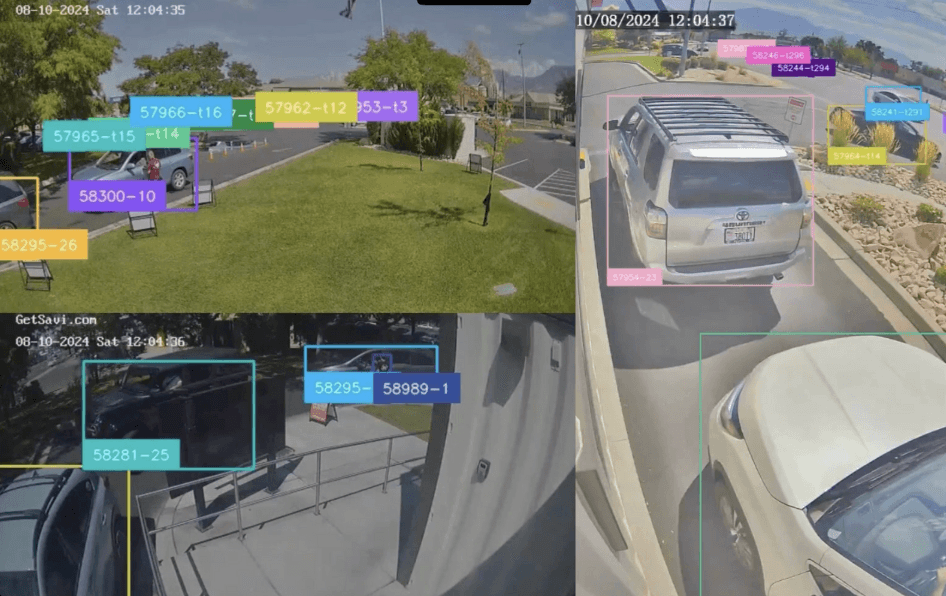
If you are actively weighing whether to replace your on-premise restaurant video system, you are probably dealing with at least one of these: a DVR that takes an IT ticket to access, footage you cannot pull from the field, or a patchwork of systems across locations that no one can monitor from a single place.
The question is not really "cloud or on-premise?" It is: what does your operation actually need from its cameras, and which architecture delivers that at the scale you are running today and the scale you are building toward?
This guide breaks both approaches down honestly, lays out where each one wins, and gives you a framework for making the call.
What "On-Premise" Actually Means in Practice
On-premise video means your recording hardware sits at each location: a DVR or NVR, local storage, and a camera network that is largely self-contained. Access typically requires being on-site or VPN'd in. Footage lives on hard drives. When equipment fails, a tech rolls out.
For a single-location operator with IT staff on-site, this setup can work fine. The upfront cost can look attractive, and you are close enough to the cameras to know when something breaks.
The friction compounds when you scale.
At 10, 20, or 50 locations, on-premise infrastructure multiplies every problem. Each site is its own support ticket. Footage retrieval requires a request to IT or a physical visit. There is no cross-location view unless you build it yourself. And every DVR failure means that location goes dark until someone drives to it.
What Cloud Video Management Means in Practice
Cloud-based video management moves recording, storage, and access to a centralized platform. Footage streams to the cloud (or syncs from an edge device at the location), and every authorized user sees every location from a single login.
The operational shift is meaningful. A district manager pulls footage from any store right now, without calling the GM. A loss prevention team flags events across 50 locations without scheduling site visits. An IT team manages the entire camera estate from a dashboard instead of dispatching field techs.
For multi-unit operators, the capability gap between the two approaches widens with every location added.
Head-to-Head: Cloud vs. On-Premise Video for Multi-Unit QSRs
Factor | On-Premise | Cloud |
|---|---|---|
Upfront cost | Higher hardware investment per site | Lower per-site cost; edge device or existing hardware |
Ongoing cost | Lower monthly fees; higher maintenance burden | Subscription-based; vendor manages infrastructure |
IT overhead | High: each site requires individual support | Low: managed centrally across all locations |
Remote access | Limited; VPN or on-site required | Any location, any device, real-time |
Scalability | Each new site is a hardware project | New locations come online with minimal setup |
Footage retrieval | Manual and time-consuming | Searchable; find the moment in seconds |
Cross-location visibility | Requires custom integration | Native, built-in |
Analytics and AI | Rarely included; expensive to add later | Often native to the platform |
Disaster recovery | Footage at risk if hardware fails | Cloud backup; footage preserved off-site |
Upgrade path | Hardware refresh cycle every 3 to 5 years | Platform updates continuously |
Where On-Premise Still Makes Sense
On-premise video is not obsolete. It has a legitimate place in specific operating contexts.
Bandwidth-constrained locations. If a site has unreliable or very limited upload capacity, local recording removes dependency on a connection that drops.
Highly regulated environments. Some data-governance requirements mandate local storage. This is uncommon in QSR, but worth confirming with your compliance team before committing to a cloud architecture.
Single or very small footprints. A 2-location operator with capable in-house IT may find on-premise simpler and cheaper to maintain. The cross-location visibility argument matters less when there are only two locations to cross.
Short-term gap coverage. If you are bridging to a full cloud migration and a site needs coverage now, a local DVR can hold a location temporarily without long-term commitment.
Outside these scenarios, on-premise's advantages shrink quickly as unit count grows.
The Case for Cloud: What Multi-Unit Operators Actually Gain
The math on cloud video shifts when you factor in what on-premise silently costs you.
For a Burger King franchisee, moving to cloud video reduced the IT burden significantly. GMs and district managers got direct access to org-wide footage without routing requests through a support queue. The change was not just about convenience: it was about who had eyes on the operation and when.
That visibility gap matters for loss prevention as well. FiiZ Drinks surfaced $3,250 in internal loss in its first 90 days using video paired with event search. Neither result required new cameras. Both required a system that made footage findable rather than just stored.
Drive-thru performance follows the same logic. According to Savi's analysis of more than 250,000 customer reviews, drive-thru sentiment influences 73% of a restaurant's overall review score. Capturing that signal requires more than a recording device. It requires a platform that turns video into time-stamped, position-level performance data your operations team can actually act on.
When to Replace Your On-Premise Restaurant Video System
There is no universal trigger, but these patterns surface consistently before a brand makes the switch.
You are adding locations faster than your IT team can support them. Each new on-premise site is a project: hardware procurement, installation, network configuration, remote access setup. Cloud deployments compress that timeline significantly.
Loss prevention cannot investigate without scheduling a site visit. When theft or compliance questions require physical access to a DVR, investigations are slow and coverage is incomplete.
Your cameras record but produce no operational data. If you are paying for storage and not for insight, the system is not earning its keep.
Your hardware refresh cycle is approaching. Rather than reinvesting in on-premise infrastructure that will need replacing again in five years, many operators use this moment to shift to a cloud architecture.
You are starting to care about drive-thru or in-store analytics. On-premise DVRs do not surface that data. A cloud platform built for multi-unit operations can.
Which Should You Choose?
For most multi-unit QSR operators above 10 locations, cloud video is the stronger long-term architecture. The operational leverage compounds with every unit added: fewer IT support hours, faster loss prevention investigations, native cross-location analytics, and a platform that improves without a hardware refresh.
On-premise remains valid for single-site operators, bandwidth-constrained environments, or brands with specific compliance requirements. For most growing chains, the question is not whether to move to cloud. It is when and how.
The "when" is often the next hardware refresh or lease renewal. The "how" is finding a platform that works with cameras you already own, so you are replacing a system rather than ripping out infrastructure.
The Foundation Decision You Are Actually Making
Choosing a cloud video platform is not just an IT decision. The same video dataset that serves your loss prevention team today is what powers drive-thru analytics tomorrow and brand compliance reviews the week after. Operations, IT, training, and marketing can all draw from the same source without re-tooling individual sites or standing up separate systems. As computer vision and AI capabilities continue to advance, a cloud-architected dataset lets your brand adopt new tools without another infrastructure overhaul. Choose the foundation once and every capability you add later becomes incremental.
Key Takeaways
On-premise video works for single-site or bandwidth-limited operators. At 10 or more locations, the support burden and visibility gaps compound quickly.
Cloud video shifts the cost model from hardware and IT overhead to a subscription, and delivers cross-location visibility that on-premise cannot match natively.
FiiZ Drinks surfaced $3,250 in internal loss within the first 90 days on a cloud platform: the footage was always there; the system made it findable.
The best time to replace your on-premise restaurant video system is at a hardware refresh. Use that moment to move to an architecture that does not need to be replaced again in five years.
Ready to see how a cloud platform stacks up against what you are running today? Request a demo at getsavi.com/book-a-demo and walk through what is possible at your scale.